
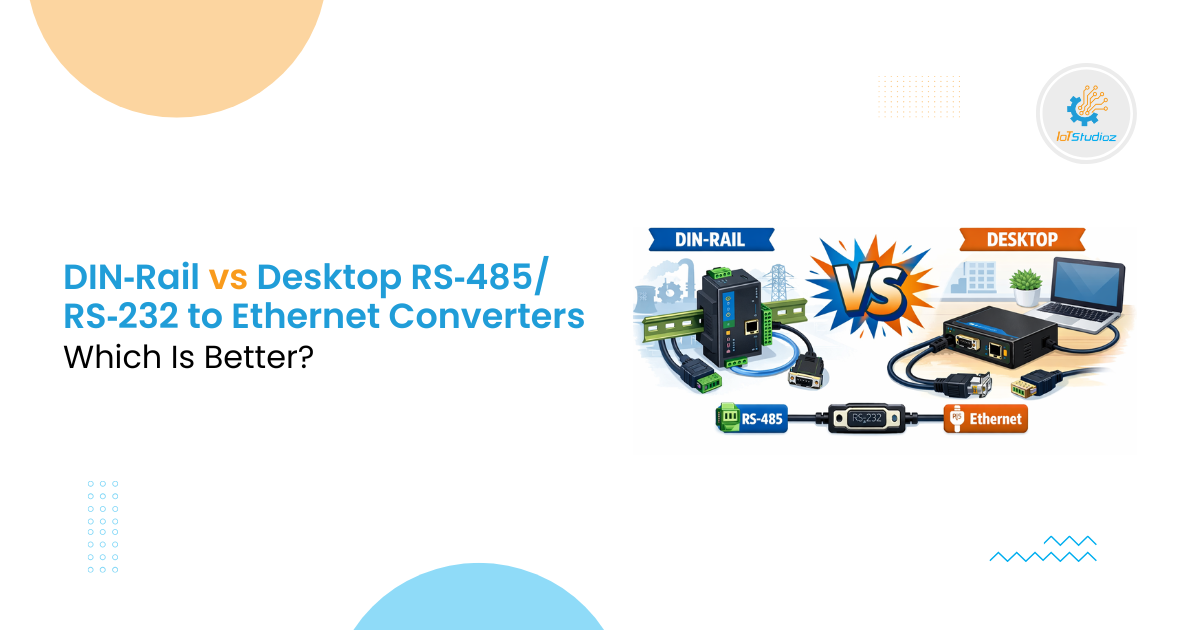
DIN‑Rail vs Desktop RS‑485/RS‑232 to Ethernet Converters: Which Is Better?
Industrial communication demands reliable data transfer between devices. Many systems still use serial communication like RS‑485 and RS‑232. Ethernet networks have become the backbone of modern control, monitoring, and automation. That’s where RS‑485/RS‑232 to Ethernet Converters play a crucial role. These devices bridge older serial interfaces and modern IP networks. Choosing between DIN‑rail and desktop converters affects performance, installation, cost, and long‑term maintenance. This blog explains both types in depth, helping engineers and technicians decide the best option.
What Are RS‑485/RS‑232 to Ethernet Converters?
RS‑485/RS‑232 to Ethernet Converters translate serial protocols like RS‑485 and RS‑232 into Ethernet frames. They allow legacy devices to communicate over TCP/IP networks. This integration lets older machines feed data to SCADA systems, IoT platforms, and centralized dashboards. These converters often support industrial protocols such as Modbus RTU and Modbus TCP. They encapsulate serial frames into Ethernet packets and vice versa.
Today, demand for such converters is rising globally. The protocol converter market (including RS‑232/485 types) is projected to grow substantially, with more than 9 million units expected deployed worldwide by 2032.
Understanding RS‑485 and RS‑232 Basics
Before comparing form factors, it helps to review the serial standards:
- RS‑485 uses differential signaling. It supports multi‑drop topologies and long cable runs up to approximately 1,200 m. It tolerates noise and electrical interference, making it common in industrial settings.
- RS‑232 is a point‑to‑point interface for short ranges (few meters). It suits simple device control and diagnostics, not large networks.
Both standards lack native IP features, security, and modern routing capabilities. Converters add TCP/IP, enabling remote access, centralized logging, and enterprise integration.
DIN‑Rail Converters: Built for Industrial Racks
What Are DIN‑Rail Converters?
DIN‑rail converters mount on standard 35 mm rails inside electrical cabinets or control panels. They are compact and rugged, designed for industrial automation environments.
Key Advantages
- Space‑efficient installation: Designed to fit alongside PLCs, power supplies, and breakers within panels.
- Durability: Many models support wide temperature ranges (often −40 °C to +75 °C), surge protection, and isolation.
- Ease of wiring: Terminal blocks and labelled connectors reduce installation errors.
- Clean panel layout: Wires can be organized through raceways, preserving the control room layout.
- Standardized form factor: DIN‑rail units integrate naturally into industrial racks and enclosures.
Typical Use Cases
DIN‑rail converters excel in:
- Factory automation panels connecting multiple RS‑485 sensors to Ethernet backbones.
- Water treatment plants where hardware sits in control cabinets near pumps and sensors.
- Energy substations requiring robust, protected converters.
In these settings, the DIN‑rail form factor supports neat installations and long‑term reliability.
Technical Considerations
- Temperature and power: Industrial environments can be harsh. Units usually support wide power input ranges and rugged casings.
- Isolation: Many DIN‑rail models include galvanic isolation to protect against ground loops.
- Protocol support: Modbus RTU to Modbus TCP translation is common.
Desktop Converters: Flexible and Portable
What Are Desktop Converters?
Desktop converters are standalone boxes resting on tables or service benches. They often have simple LED indicators and ports exposed for easy access.
Key Advantages
- Portability: Easy to move between test benches or different installations.
- Quick setup: Ideal for prototyping, field tests, or temporary installations.
- Lower initial cost: Desktop units are often cheaper than their DIN‑rail counterparts.
- Plug‑and‑play: Minimal wiring, typically with screw terminals and simple power adapters.
Typical Use Cases
Desktop converters work well for:
- Engineering labs where multiple protocols and quick tests happen.
- Small installations where permanent control panels aren’t necessary.
- Commissioning environments requiring easy device swaps.
Technical Considerations
- Physical protection: They lack the physical protection and panel mounting of DIN‑rail units.
- Environmental exposure: Not ideal for dusty, vibration‑prone, or temperature‑sensitive industrial floors.
- Cable management: Desktop deployments sometimes use loose cabling, increasing the risk of errors or damage.
Side‑by‑Side Comparison
| Feature | DIN‑Rail Converters | Desktop Converters |
| Installation | Panel mounted | Tabletop / portable |
| Protection | High | Moderate |
| Price Range | Moderate‑high | Lower |
| Ruggedness | Industrial grade | Limited |
| Wiring neatness | Excellent | Moderate |
| Best for | Control cabinets | Test benches, temporary setups |
Performance and Network Impact
1. Reliability and Uptime
Industrial converters typically target >99.9% uptime when integrated correctly. Ethernet connectivity allows remote access and monitoring, reducing maintenance trips by up to 30‑60% in many sites.
2. Scalability
Serial networks alone support limited devices per segment (commonly up to 32 on RS‑485). Ethernet networks scale to thousands of nodes using switches and routers. Converters extend the life of old hardware while offering virtually unlimited network growth.
3. Security
Serial communication lacks authentication and encryption. Ethernet networks support modern tools like TLS encryption, VPNs, and firewall controls, which help protect data in industrial IoT applications.
When to Choose DIN‑Rail Converters
Choose DIN‑rail when:
- You install converters inside control panels or racks.
- The environment demands industrial durability.
- You manage long‑term installations with structured wiring.
- Higher environmental ratings (temperature, vibration) are necessary.
DIN‑rail converters are best for systems expected to operate for years with minimal attention.
When Desktop Converters Fit Better
Desktop converters make sense if:
- You need temporary or mobile solutions.
- Installations are easy to access and not harsh.
- You want lower initial cost for lab or test environments.
- Rapid setup and reconfiguration matter.
For field engineers, desktop units make quick troubleshooting and device integration easier.
Cost and Lifecycle Considerations
DIN‑rail converters often cost more upfront but last longer and reduce downtime and wiring maintenance. Desktop converters cost less initially, but may require protective housing or additional support for industrial use.
Also consider lifecycle costs:
- Panel space and wiring: DIN‑rail contributes to organized installations, lowering long‑term maintenance.
- Replacement frequency: Desktop units may fail sooner in harsh environments.
- Integration time: Desktop units are faster to deploy but may require rewiring when moved.
Real‑World Example
A manufacturing plant converted RS‑485 sensors to Ethernet to centralize monitoring. Using converters, the maintenance team reduced site visits by 30%. Ethernet integration allowed remote dashboards and real‑time alerts.
In another case, a utility monitoring hundreds of remote RTUs over Ethernet reported 99.7% availability, showing the reliability of integrated networks.
Choosing the Right Converter
When selecting any converter, consider:
- Number of serial ports: How many RS‑485/RS‑232 devices will connect?
- Protocol support: Modbus, TCP, or UDP modes required?
- Environmental ratings: Temperature range and isolation specs.
- Mounting needs: Panel‑ready DIN‑rail or standalone desktop?
- Network features: PoE support, security protocols, and web interfaces.
Matching these to your application ensures optimal performance and minimal surprises.
Conclusion
Both DIN‑rail and desktop converters have roles in RS‑485/RS‑232 to Ethernet Converters applications. DIN‑rail wins in industrial panel environments with long‑term duty and neat installations. Desktop converters fit flexible, temporary, or lab settings. Overall, selection depends on environment, expected lifetime, and system complexity.
Understanding the technical strengths and limitations of each ensures reliable industrial communication and smooth integration of legacy devices with modern Ethernet networks.
Frequently Asked Questions
1. What is the main difference between DIN‑rail and desktop RS‑485/RS‑232 to Ethernet Converters?
The primary difference is the form factor and intended environment. DIN‑rail converters are designed for industrial panels and control cabinets, offering durability, isolation, and neat wiring. Desktop converters are portable, cost-effective, and suited for labs, field testing, or temporary setups.
2. Can a desktop converter be used in industrial environments?
Desktop converters can be used in light industrial environments, but they are less rugged than DIN‑rail units. They are vulnerable to dust, vibration, and temperature extremes, so protective enclosures or careful placement is recommended.
3. Do RS‑485/RS‑232 to Ethernet Converters support multiple devices?
Yes. RS‑485 supports multi-drop configurations with up to 32 devices per segment. Many converters also allow multiple serial ports or Ethernet nodes to connect several devices simultaneously, depending on the model.
4. Which protocols do these converters support?
Most converters support common industrial protocols such as Modbus RTU to Modbus TCP, ASCII to TCP, and other serial-to-Ethernet conversions. Advanced models may include additional protocol support and custom mapping for complex networks.
5. How do I choose the right converter for my system?
Consider the following factors:
- Environment (industrial vs. lab/temporary)
- Number of serial devices to connect
- Required protocol support
- Protection and isolation needs
- Mounting requirements (panel-mounted vs. portable)
- Advanced features like PoE, multiple ports, and redundancy
Matching these criteria ensures reliable integration and long-term performance.