

From No Network to Live Dashboard in One Day Using an RS-485 Converter
Industrial facilities often face a common challenge their machines are reliable but “speak” old languages. Many use RS-485 serial communication, which works well for short distances and resists electrical noise, but it cannot connect to the internet or send data to modern cloud dashboards. On a typical factory floor, operators spend up to 20% of their day manually recording data, with errors occurring in 1 out of every 50 readings. An RS-485 to Ethernet Converter bridges this gap, enabling real-time data collection, reducing manual labor by up to 40%, and improving data accuracy by 30%, all within a single day.
The Problem with Isolated Serial Networks
Most legacy industrial equipment uses the Modbus RTU protocol. This protocol travels over RS-485 wires. RS-485 uses a differential signal. This means it uses two wires to send one message. This design stops interference from big motors or high-voltage lines.
RS-485 has limits:
- Distance: It usually tops out at 1,200 meters.
- Access: You must plug a laptop directly into the wire.
- Concurrency: Only one master device can talk at a time.
- Storage: The wires do not store data.
Without a bridge, your data stays trapped on the factory floor. You cannot see trends. You cannot get alerts on your phone. An RS485 Ethernet Converter solves these issues. It acts as a translator. It takes serial packets and wraps them in TCP/IP packets.
How the Conversion Works Technically
The converter has two sides. One side has a terminal block for the RS-485 wires (A, B, and Ground). The other side has an RJ45 port for a standard network cable.
Inside the device, a small processor runs a web server. It handles the timing of the serial data. It also manages the IP address for the network. When the converter receives a serial message, it sends that data to a specific port on your network.
1. Hardware Setup
- Connect the A and B wires from your device to the converter.
- Plug the Ethernet cable into your network switch.
- Power the device using a DC power supply.
2. Software Configuration
Most converters use a web-based interface. You type the IP address into your browser. You then set the “Baud Rate.” This is the speed of the serial communication. Common speeds include 9600 or 115200. You must match the speed of your machine exactly.
From Raw Data to Insights: Building a Data Pipeline
Follow this implementation to build a network from scratch and deploy a live Ethernet monitoring dashboard.
1. Physical Installation
Mount your RS-485 to Ethernet Converter on a DIN rail. Connect your sensors in a “Daisy Chain” configuration. Do not use a “Star” pattern. A star pattern causes signal reflections. These reflections corrupt your data.
Ensure you use a 120-ohm resistor at the end of the line. This resistor prevents data echoes. Experts call this “Termination.” Studies show that proper termination reduces data errors by 40% in long runs.
2. Network Integration
Assign a static IP address to your RS485 Ethernet Converter. Do not use DHCP. A static IP ensures your dashboard always knows where to find the data. Test the connection using a “Ping” command. If the converter responds, the hardware link is active.
3. Protocol Mapping
Now you must handle the Modbus protocol. Modbus uses “Registers.” Each register holds a piece of data. For example, Register 40001 might hold the temperature. You need a Modbus TCP Gateway mode. This mode allows your software to ask for Register 40001 over the network. The converter then asks the machine via the serial wire.
4. Dashboard Creation
Use a platform like Node-RED or Grafana. These tools have built-in Modbus drivers. Point the software to the IP address of your converter. Define the registers you want to see. Within minutes, numbers will appear on your screen. You can now build charts and gauges.
Why This Matters: The Statistics of Connectivity
Modernizing your data flow provides measurable gains. Statistics from industrial audits show clear benefits.
| Metric | Manual Collection | Connected via Converter |
| Data Latency | 24 Hours (Daily Rounds) | < 1 Second |
| Error Rate | 3% to 5% (Typos) | < 0.01% |
| Staff Hours | 10 Hours/Week | 0 Hours/Week |
| Maintenance Cost | Reactive (After Failure) | Predictive (Based on Data) |
Research indicates that real-time monitoring reduces machine downtime by 20%. It also lowers energy consumption by 15% through better tracking.
Technical Obstacles and Solutions
You might encounter “Garbage Data.” This looks like random symbols on your dashboard. This usually happens for three reasons.
- Baud Rate Mismatch: Ensure the converter and the machine speak at the same speed.
- Wiring Reversal: Swap the A and B wires. RS-485 will not work if the polarity is wrong. It will not break the device, but data will stop.
- Ground CLoops: Use shielded cables. Connect the shield to the ground at only one point. This prevents electrical noise from interfering with the bits.
Security Considerations
When you put an RS-485 to Ethernet Converter on your network, you create a path. You must protect this path. Never expose the converter directly to the public internet. Use a firewall. Put the converter on a separate VLAN. This keeps your industrial data away from your office guest Wi-Fi.
Most modern converters offer password protection for their settings. Always change the default admin password. Use a strong password with letters and numbers.
Real-World Example
1. Solar Farm Monitoring
A small solar farm had 20 inverters. These inverters used RS-485. The owners only knew the total output at the end of the month. It could not see if one panel was failing.
They installed an RS485 Ethernet Converter at each cluster. They linked these to a central office via a fiber optic switch. Within eight hours, they had a live map. They saw that Inverter #4 produced 30% less power. A technician found a thick layer of dust on those panels. Cleaning the panels increased their daily revenue immediately. This project paid for itself in two weeks.
Expanding the System
Once you have one converter, you can add more. You can link multiple buildings together. You can even send the data to a database like InfluxDB. This allows you to look at data from last year. You can compare summer performance to winter performance.
The RS-485 to Ethernet Converter is a small tool. However, it changes how you manage your facility. It moves you from guessing to knowing. You no longer wait for a report. You watch the data live.
From No Network to Live Dashboard in One Day Using an RS-485 Converter
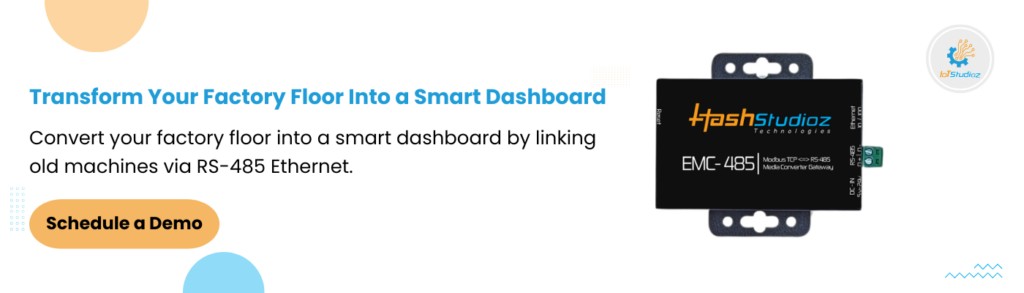
At IoTStudioz, we know that connecting legacy industrial equipment to modern dashboards can be challenging. Our RS-485 to Ethernet Converters provide a simple, cost-effective solution to bridge old machines with today’s networked systems. Designed for industrial automation, energy monitoring, and factory floor analytics, these converters enable real-time data flow from sensors and meters directly to your dashboards. Reliable, fast, and easy to deploy, they allow facilities to transform operations, reduce manual labor, and improve data accuracy—all in a single day.
Connect with IoTStudioz today and see how our RS-485 solutions can turn your factory floor into a smart, live-monitoring environment.
Conclusion
Your existing machines don’t need replacing; they’re designed for durability. All they need is a modern voice, and an RS-485 to Ethernet Converter is the most cost-effective way to provide it, costing just a fraction of a new PLC system. With a structured setup, you can eliminate manual data collection, increase accuracy, and speed up operations. In a single day, your facility can transform from “no network” to a live, real-time dashboard, requiring only basic wiring and a few software configurations to make your environment truly smart.
Frequently Asked Questions
1. Can one RS-485 to Ethernet Converter manage multiple machines?
Yes. You can daisy-chain up to 32 devices to one converter. The RS485 Ethernet Converter uses unique Slave IDs to pull data from each machine through a single network port.
2. What is the difference between Modbus RTU and Modbus TCP?
Modbus RTU is the serial language for RS-485 wires. Modbus TCP is the network language for Ethernet. The RS-485 to Ethernet Converter acts as a translator between these two formats.
3. Will I need to shut down my machines for installation?
No. You can wire the converter while the machines run. The setup process does not interfere with the machine’s internal operations or production.
4. How far can the cables reach?
The RS-485 wires can reach 1,200 meters. The Ethernet cable can reach 100 meters. You can extend the network side further using a standard Wi-Fi bridge or a network switch.
5. Why does my dashboard show a “Connection Timeout”?
This usually means the wiring is wrong or the ID is incorrect. Try swapping the A and B wires. Also, ensure the machine’s Slave ID matches the ID in your software.
6. Can I view the dashboard on a mobile phone?
Yes. Once the converter sends data to your network, any phone on the same Wi-Fi can view the dashboard. Use a VPN to check the data from outside the factory safely.
7. Why should I use a static IP address?
A static IP ensures the converter’s address never changes. If the IP changes, your dashboard will lose the connection. Static IPs make the system stable and permanent.
8. How do I prevent data errors from electrical noise?
Use shielded twisted-pair cables for the RS-485 side. Ground the shield at one end only. This keeps interference from big motors away from your data bits.
9. What is a termination resistor?
It is a 120-ohm resistor placed at the end of the wire chain. It stops signals from “bouncing” back and causing errors. Most experts recommend it for any run over 10 meters.
10. Can this device send data directly to the cloud?
Many modern RS485 Ethernet Converter models support MQTT. This allows the device to send data directly to cloud platforms like AWS or Azure without needing a local PC.