
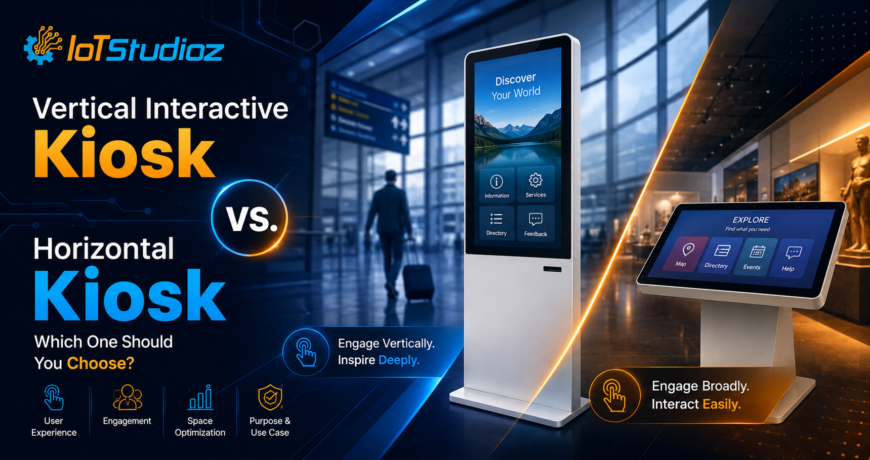
Vertical Interactive Kiosk vs. Horizontal Kiosk: Which One Should You Choose?
Interactive kiosks have become an important part of modern customer engagement, self-service, wayfinding, digital information, and retail experiences. However, choosing the right kiosk orientation can be challenging. Vertical interactive kiosks and horizontal interactive kiosks offer different advantages depending on the available space, content format, user interaction, and business requirements.
So, which one should you choose?
The answer depends on how you plan to use the kiosk, where it will be installed, and what type of content you want users to interact with. This guide compares vertical and horizontal interactive kiosks to help you make an informed decision.
What Is a Vertical Interactive Kiosk?
A vertical interactive kiosk is a touchscreen kiosk designed in a portrait orientation. The display is taller than it is wide, making it suitable for applications where vertical content, menus, forms, directories, and step-by-step interactions are important.
Vertical kiosks are commonly used in:
- Retail stores
- Hotels and hospitality venues
- Shopping malls
- Airports and transportation facilities
- Hospitals and healthcare facilities
- Corporate offices
- Educational institutions
- Restaurants and quick-service businesses
- Exhibition and event spaces
Their tall form factor can also make efficient use of floor space while providing a prominent digital interface.
What Is a Horizontal Interactive Kiosk?
A horizontal interactive kiosk uses a landscape-oriented display, where the screen is wider than it is tall. This format is particularly useful when the application requires more horizontal space for content, multiple users, product comparisons, maps, or visual interfaces.
Horizontal kiosks can be used for:
- Product browsing
- Interactive maps
- Digital directories
- Customer service applications
- Ordering systems
- Entertainment
- Presentations
- Interactive displays
- Retail product configurators
- Public information systems
The wider screen can make it easier to display multiple content elements side by side.
Vertical vs. Horizontal Interactive Kiosk: Key Differences
The biggest difference is the orientation of the screen, but that difference can affect usability, installation, content design, and the overall customer experience.
| Feature | Vertical Interactive Kiosk | Horizontal Interactive Kiosk |
| Screen orientation | Portrait | Landscape |
| Best suited for | Forms, menus, directories, browsing | Maps, comparisons, visual content |
| Space requirement | Usually narrower footprint | Usually requires more horizontal space |
| Content style | Vertical scrolling and sequential content | Side-by-side and wide content |
| User interaction | Often optimized for one user | Can be suitable for wider interfaces and shared interaction |
| Ideal locations | Retail aisles, entrances, lobbies | Counters, open spaces, information areas |
| Visual presentation | Tall and prominent | Wide and immersive |
1. Space and Installation
One of the first factors to consider is the available installation area.
A vertical interactive kiosk generally has a narrower profile, making it useful in locations where floor width is limited. For example, a retail store may want to install a self-service kiosk without taking up too much aisle space.
A horizontal kiosk requires more width because of its landscape display. It can work well in open areas, reception spaces, counters, and locations where sufficient horizontal space is available.
Choose vertical if: floor width is limited and you want to maximize vertical display space.
Choose horizontal if: you have sufficient width and need a broader interactive workspace.
2. Type of Content
The type of content displayed on the kiosk should strongly influence your decision.
Vertical screens work particularly well for content that users consume from top to bottom, such as:
- Registration forms
- Digital menus
- Product lists
- Appointment forms
- Surveys
- Information directories
- Step-by-step instructions
- Ticketing interfaces
Horizontal displays are often better for content that benefits from width, including:
- Interactive maps
- Product comparisons
- Image galleries
- Digital presentations
- Multiple navigation panels
- Wide dashboards
- Interactive visualizations
Before choosing a kiosk, consider how your existing application or website is designed. A kiosk orientation that matches your interface can reduce the need for major content redesign.
3. User Experience
User experience is another important consideration.
A vertical kiosk provides a familiar smartphone-like portrait experience. Users can naturally scroll through menus, forms, lists, and other vertically arranged information.
A horizontal kiosk provides additional width for applications that need multiple elements visible at once. For example, a customer could compare several products or explore different sections of an interactive map without excessive scrolling.
The right choice depends on the interaction pattern rather than simply the size of the screen.
4. Retail Applications
Both orientations can be effective in retail environments, but their applications may differ.
A vertical kiosk can be used for:
- Self-service ordering
- Product search
- Customer registration
- Loyalty program enrollment
- Store directories
- Digital catalogs
A horizontal kiosk can be useful for:
- Product comparison
- Product configuration
- Interactive catalogs
- Promotional experiences
- Large visual product presentations
For narrow retail spaces, vertical kiosks may provide a practical advantage because of their compact profile.
5. Hospitality and Restaurants
Hotels, restaurants, and hospitality businesses increasingly use interactive kiosks to reduce waiting times and provide self-service options.
Vertical kiosks can work well for:
- Guest check-in
- Restaurant ordering
- Hotel directories
- Event schedules
- Customer registration
- Service requests
Horizontal kiosks may be preferable for applications that require broader visual interfaces, such as interactive hotel maps, event layouts, or detailed service presentations.
6. Wayfinding and Navigation
For wayfinding applications, both formats can work effectively.
A vertical kiosk can present a building directory with locations arranged in a straightforward list. Users can select a destination and receive directions.
A horizontal kiosk can provide a larger map area, allowing users to explore multiple locations and view more information simultaneously.
If your primary goal is map interaction, a horizontal format may offer more usable screen width. If the application focuses on directory search and sequential navigation, a vertical format can be a strong choice.
7. Branding and Visual Impact
Kiosk orientation also affects how the display looks within a physical environment.
Vertical kiosks have a tall, noticeable profile that can naturally draw attention from users approaching from a distance. They can also work well alongside walls, entrances, pillars, and narrow retail spaces.
Horizontal kiosks create a wider visual presence and can be useful when the display is intended to function as a large interactive information or presentation surface.
Businesses should consider their surrounding architecture, branding requirements, and customer traffic flow before selecting an orientation.
8. Content Management and Screen Design
Your content management system and application interface should be designed specifically for the selected orientation.
For a vertical kiosk, content should generally prioritize:
- Large touch-friendly buttons
- Vertical navigation
- Short sections
- Easy scrolling
- Clearly structured forms
- Prominent calls to action
For a horizontal kiosk, designers can take advantage of:
- Side-by-side panels
- Larger navigation areas
- Wide images
- Comparison sections
- Interactive maps
- Multiple content columns
A responsive interface is particularly important if the same application will be deployed across different kiosk orientations.
9. Accessibility and Touch Interaction
Touchscreen usability should be considered regardless of orientation.
The interface should use appropriately sized touch targets, readable text, sufficient contrast, and straightforward navigation. The kiosk should also be positioned at a comfortable height and angle for its intended audience.
For public-facing installations, businesses should consider accessibility requirements and ensure that the physical kiosk and software interface are suitable for the users they serve.
10. Cost and Hardware Considerations
The total cost of an interactive kiosk depends on more than screen orientation. Factors can include:
- Display size
- Touch technology
- Processor
- Operating system
- RAM and storage
- Connectivity
- Camera or scanner requirements
- Printer integration
- Enclosure design
- Mounting method
- Software
- Custom branding
- Installation
Therefore, neither vertical nor horizontal kiosks should automatically be considered the cheaper option. The better approach is to define your application requirements first and then select hardware accordingly.
How to Choose the Right Interactive Kiosk
Before purchasing an interactive kiosk, ask these questions:
1. Where will the kiosk be installed?
Measure the available floor and wall space. A narrow area may favor a vertical kiosk, while an open space may accommodate a horizontal model.
2. What will users do on the kiosk?
If users will fill out forms, browse menus, or follow sequential steps, vertical may be more suitable.
If users will explore maps, compare products, or interact with wide visual content, horizontal may be better.
3. How is your software designed?
Check whether your application is optimized for portrait or landscape orientation. Choosing hardware that matches your software can provide a smoother user experience.
4. How many users will interact with it?
Consider whether the kiosk is primarily intended for individual self-service or whether the experience may involve multiple people interacting with the display.
5. What type of content will dominate?
Text-heavy, list-based, and sequential content often works naturally on vertical displays. Visual, map-based, and comparison-oriented content can benefit from horizontal displays.
Vertical or Horizontal: Which One Is Better?
There is no universal winner.
A vertical interactive kiosk is often the better choice when you need a space-efficient solution for self-service, forms, directories, menus, browsing, and sequential interactions.
A horizontal interactive kiosk may be the better choice when your application depends on wide visual content, maps, product comparisons, presentations, or interfaces with multiple elements displayed side by side.
The best kiosk is ultimately the one that matches your space, audience, software, content, and business objectives.

Final Thoughts
Choosing between a vertical and horizontal interactive kiosk should be based on functionality rather than appearance alone. Think about the environment where the kiosk will be installed, the type of interaction you expect, the content users will see, and how much physical space is available.
For compact installations and vertically structured applications, a vertical interactive kiosk can provide an efficient and user-friendly solution. For wider interfaces and visually rich experiences, a horizontal interactive kiosk may be more appropriate.
By evaluating these factors before purchasing, businesses can select a kiosk orientation that delivers better usability, stronger engagement, and a more effective digital self-service experience.