
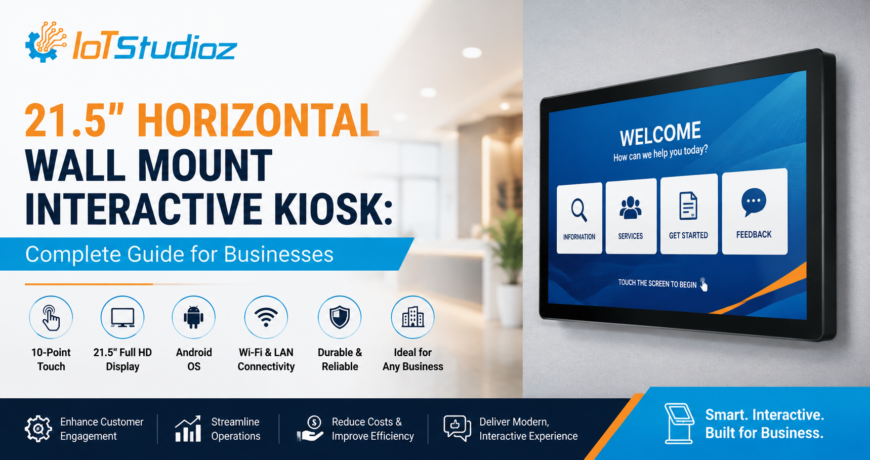
21.5″ Horizontal Wall Mount Interactive Kiosk: Complete Guide for Businesses
Businesses are increasingly adopting interactive kiosks to improve customer engagement, simplify self-service, and deliver information more efficiently. Among the different kiosk formats available, the 21.5″ Horizontal Wall Mount Interactive Kiosk is a compact and practical solution for businesses that want to maximize available space while providing an intuitive digital experience.
Designed for wall-mounted installation, this interactive kiosk can be used in retail stores, hotels, healthcare facilities, restaurants, corporate offices, educational institutions, transportation hubs, and other public environments.
In this complete guide, we explore its key features, benefits, applications, and factors businesses should consider before choosing a 21.5″ Horizontal Wall Mount Interactive Kiosk.
What Is a 21.5″ Horizontal Wall Mount Interactive Kiosk?
A 21.5″ Horizontal Wall Mount Interactive Kiosk is a digital self-service and information display designed with a 21.5-inch screen in a horizontal orientation. It is mounted directly onto a wall, helping businesses save valuable floor space.
Unlike conventional digital signage, an interactive kiosk allows users to engage directly with the displayed content. Depending on the configuration, users can browse information, search products, complete forms, navigate menus, access services, or interact with business applications through the touchscreen.
Its compact size makes it particularly suitable for locations where floor-standing kiosks may not be practical.
Key Features of a 21.5″ Horizontal Wall Mount Interactive Kiosk
1. 21.5-Inch Interactive Display
The 21.5-inch screen provides enough viewing space for menus, product information, navigation interfaces, forms, directories, and interactive applications while maintaining a relatively compact footprint.
2. Horizontal Screen Orientation
The horizontal layout is useful for applications that require wider content areas. It can display menus, product categories, maps, web pages, dashboards, and other visual content in a user-friendly format.
3. Touchscreen Interaction
Interactive touchscreen technology allows customers and visitors to navigate applications directly. This reduces dependency on staff and creates a more engaging self-service experience.
Depending on the model and configuration, businesses can choose touchscreen technologies such as PCAP for responsive and intuitive interaction.
4. Wall-Mounted Design
One of the biggest advantages of this kiosk is its wall-mounted form factor. Installing the device on a wall can help businesses make better use of limited floor space.
It can be installed near entrances, service counters, waiting areas, corridors, reception desks, or other strategic locations.
5. Commercial-Grade Construction
For business environments, kiosks need to withstand regular interaction. A commercial-grade enclosure and display can provide durability for continuous or frequent use.
6. Android-Based Platform
Many modern interactive kiosks use Android as their operating system, allowing businesses to run web applications, digital signage platforms, self-service applications, directories, and other compatible software.
7. Easy Content Management
Businesses can configure the kiosk to display and manage different types of digital content, including:
- Product catalogs
- Digital menus
- Company information
- Promotional campaigns
- Interactive directories
- Forms and surveys
- Maps and navigation
- Service information
Benefits of a 21.5″ Horizontal Wall Mount Interactive Kiosk
1. Space-Saving Solution
Floor space is valuable, especially in retail stores, restaurants, offices, hospitals, and hotels. A wall-mounted kiosk eliminates the need for a dedicated floor-standing structure.
This makes it a practical option for businesses operating in compact environments.
2. Improved Customer Experience
Customers can independently access information and services without waiting for employees. Interactive interfaces can make the overall customer journey faster and more convenient.
3. Reduced Staff Workload
A kiosk can handle repetitive information and self-service tasks, allowing employees to focus on more complex customer requirements.
For example, a hotel can use a kiosk for property information while reception staff focus on check-in and guest support.
4. Better Digital Engagement
Interactive content can attract more attention than traditional static posters. Businesses can use touch-based experiences to encourage users to explore products, services, offers, and information.
5. Flexible Applications
A single kiosk can support multiple applications depending on the business requirement. Software can be customized for product browsing, customer registration, digital directories, surveys, ordering, or other workflows.
6. Modern Business Appearance
A professionally installed interactive kiosk can create a modern and technology-driven environment. It can also complement other digital signage and smart technology solutions used by the business.
Top Applications of a 21.5″ Horizontal Wall Mount Interactive Kiosk
1. Retail Stores
Retailers can use interactive kiosks to provide digital product catalogs, product details, promotional offers, inventory information, and store navigation.
Customers can browse products without requiring assistance from a sales representative for every query.
2. Restaurants and Cafés
Restaurants can deploy wall-mounted interactive kiosks for digital menus, ordering, promotional content, and customer feedback.
The horizontal display can provide an effective interface for browsing food categories and menu items.
3. Hotels
Hotels can use interactive kiosks to provide:
- Hotel directories
- Restaurant information
- Local attractions
- Facilities and services
- Event information
- Guest assistance
- Digital navigation
This can help guests quickly find relevant information without repeatedly contacting the front desk.
4. Healthcare Facilities
Hospitals and clinics can use kiosks for patient navigation, department directories, appointment-related information, registration forms, and general facility information.
Proper software, accessibility, privacy, and security controls should be considered for healthcare deployments.
5. Corporate Offices
Businesses can install interactive kiosks in reception areas for visitor information, employee directories, meeting-room information, building navigation, and announcements.
6. Educational Institutions
Schools, colleges, universities, and training centers can use kiosks for campus maps, department information, event schedules, student services, and digital directories.
7. Transportation & Public Spaces
Transportation facilities can use interactive kiosks to provide directions, schedules, maps, service information, and other visitor assistance.
21.5″ Horizontal Wall Mount Kiosk vs. Floor-Standing Kiosk
Both wall-mounted and floor-standing kiosks can provide interactive self-service experiences, but they are designed for different environments.
| Feature | Wall Mount Interactive Kiosk | Floor Standing Interactive Kiosk |
| Installation | Mounted on wall | Installed on floor |
| Floor Space | Minimal | Requires dedicated floor space |
| Mobility | Usually fixed | Can potentially be relocated |
| Best For | Compact areas and corridors | Open spaces and high-traffic areas |
| Installation | Requires suitable wall structure | Requires stable floor placement |
| User Experience | Convenient at wall level | Highly visible from a distance |
A 21.5″ Horizontal Wall Mount Interactive Kiosk is generally a strong choice when space efficiency and convenient wall installation are priorities.
What Businesses Should Consider Before Buying
Choosing the right interactive kiosk involves more than selecting a screen size. Businesses should evaluate several technical and operational factors.
1. Display Quality
Consider resolution, brightness, viewing angles, touch responsiveness, and expected viewing distance. For commercial environments, the display should be suitable for the lighting conditions of the installation location.
2. Touch Technology
Choose a touchscreen technology that matches the intended usage. PCAP touchscreens are commonly preferred for smooth and responsive interaction.
3. Operating System
Android can be suitable for many kiosk applications, but businesses should verify software compatibility and application requirements before making a purchase.
4. Connectivity
Depending on the application, the kiosk may require:
- Wi-Fi
- Ethernet
- Bluetooth
- USB
- HDMI
- Other peripheral interfaces
The required connectivity should be determined based on the software and peripherals being used.
5. Software Compatibility
The hardware should support the intended kiosk application. Businesses should check whether their software requires Android, Windows, web-based applications, or another platform.
6. Mounting Requirements
Before installation, check wall strength, mounting compatibility, power availability, cable management, and the desired installation height.
7. Maintenance and Support
Commercial kiosks may operate for long hours, so businesses should consider warranty coverage, technical support, replacement parts, software updates, and maintenance requirements.
How to Make a Wall-Mounted Interactive Kiosk More Effective
Simply installing a touchscreen does not guarantee a successful self-service experience. Businesses should also focus on the user interface.
1. Keep Navigation Simple
Users should be able to understand the interface immediately. Use clear menus, recognizable icons, and straightforward navigation.
2. Use High-Quality Visuals
Images, product information, promotional graphics, and videos should be optimized for the screen resolution and viewing environment.
3. Minimize User Steps
Reduce the number of screens required to complete common tasks. A shorter user journey generally creates a better self-service experience.
4. Keep Content Updated
Outdated menus, prices, product information, or announcements can reduce customer trust. Businesses should establish a process for regularly updating kiosk content.
5. Monitor Performance
Remote monitoring and device management can help businesses identify connectivity issues, application failures, or other problems before they significantly affect users.
Why Choose a 21.5″ Horizontal Wall Mount Interactive Kiosk?
For businesses looking for a balance between interactive functionality, compact installation, and customer convenience, a 21.5-inch horizontal wall-mounted kiosk can be an effective solution.
Its wall-mounted design helps conserve floor space, while the interactive touchscreen enables customers and visitors to access digital services directly. With appropriate hardware and software, the kiosk can support applications across retail, hospitality, healthcare, education, corporate, and public environments.
Conclusion
The 21.5″ Horizontal Wall Mount Interactive Kiosk is a versatile digital solution for businesses that want to introduce self-service and interactive experiences without occupying valuable floor space.
From digital directories and product catalogs to menus, navigation, customer feedback, and self-service applications, this compact kiosk can support a wide range of business requirements.
Before investing, businesses should evaluate display quality, touchscreen technology, operating system, connectivity, software compatibility, mounting requirements, durability, warranty, and after-sales support.
With the right configuration and user-friendly software, a 21.5″ Horizontal Wall Mount Interactive Kiosk can help businesses create a more efficient, engaging, and modern customer experience.
FAQ
1. What is a 21.5″ Horizontal Wall Mount Interactive Kiosk?
It is a wall-mounted digital kiosk featuring a 21.5-inch horizontal touchscreen designed for interactive applications such as self-service, digital directories, product browsing, information access, and customer engagement.
2. Where can a 21.5″ wall-mounted interactive kiosk be used?
It can be used in retail stores, hotels, restaurants, hospitals, corporate offices, educational institutions, transportation facilities, and other public or commercial environments.
3. What are the main benefits of a wall-mounted kiosk?
The main benefits include space savings, interactive customer engagement, self-service capabilities, reduced staff workload, and flexible digital applications.
4. Can a 21.5″ interactive kiosk run custom applications?
Yes. Depending on the operating system and hardware configuration, businesses can deploy customized applications designed for their specific workflows and customer requirements.
5. Is a wall-mounted kiosk better than a floor-standing kiosk?
It depends on the installation environment. A wall-mounted kiosk is particularly useful when floor space is limited, while a floor-standing kiosk may be more suitable for open areas where high visibility and standalone placement are important.