
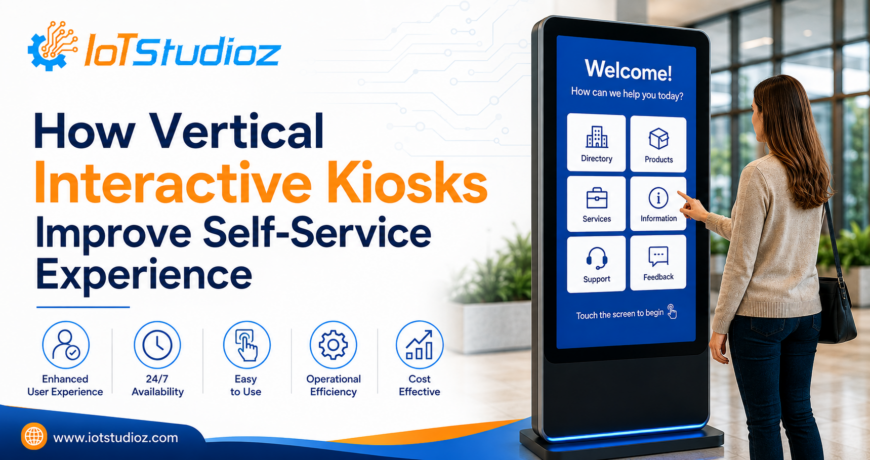
How Vertical Interactive Kiosks Improve Self-Service Experience
Self-service technology has become an important part of modern customer experiences. From retail stores and hotels to hospitals, corporate offices, transportation hubs, and educational institutions, businesses are increasingly using interactive kiosks to help customers access information, complete transactions, and perform routine tasks independently.
Among the different kiosk formats available, vertical interactive kiosks offer a practical combination of screen visibility, space efficiency, accessibility, and functionality. Their upright design makes them suitable for environments where businesses want to provide an engaging self-service solution without occupying excessive floor space.
What Is a Vertical Interactive Kiosk?
A vertical interactive kiosk is a freestanding or mounted digital kiosk featuring a vertically oriented touchscreen display. Users can interact directly with the screen to access information, browse products, make selections, fill out forms, place orders, or complete other self-service activities.
Unlike traditional static displays, interactive kiosks allow users to actively engage with digital content. The vertical screen orientation also provides more usable space for displaying menus, forms, product information, navigation options, and other content.
Depending on the model and application, a vertical interactive kiosk may include:
- Touchscreen display
- Full HD or higher-resolution screen
- Android or Windows operating system
- Wi-Fi and Ethernet connectivity
- Speakers
- Camera
- QR or barcode scanner
- NFC/RFID reader
- Printer
- Payment terminal
- Built-in computing hardware
- Tempered glass protection
- Remote device management capabilities
The exact configuration can be customized according to the business application.
How Vertical Interactive Kiosks Improve Self-Service
1. Reduce Waiting Times
One of the biggest advantages of self-service kiosks is their ability to reduce queues.
Customers don’t always need assistance from employees to complete simple tasks. A vertical interactive kiosk can allow them to independently:
- Search for products
- Place orders
- Register for services
- Check availability
- Make appointments
- Access directions
- Print tickets or receipts
- Check in or check out
- Browse menus and catalogs
By handling routine interactions through a kiosk, businesses can reduce pressure on front-desk and customer-service teams while allowing employees to focus on more complex customer needs.
2. Provide a Simple and Intuitive User Interface
A self-service solution is only effective when customers can understand how to use it quickly.
Vertical interactive kiosks can display large buttons, clear navigation menus, images, icons, instructions, and other visual elements that make interaction easier.
A well-designed interface can guide users through a process step by step. For example, a restaurant kiosk might follow this sequence:
Select Category → Choose Product → Customize Order → Review → Payment → Confirmation
This straightforward approach reduces confusion and helps customers complete tasks with minimal assistance.
3. Make Better Use of Vertical Space
The vertical format provides a large digital interface without requiring a wide footprint.
This can be particularly useful in:
- Retail stores
- Shopping malls
- Hotels
- Airports
- Hospitals
- Banks
- Corporate offices
- Exhibition centers
- Educational institutions
Businesses can position vertical kiosks near entrances, service counters, waiting areas, or high-traffic zones while maintaining better use of available space.
4. Improve Customer Engagement
Static signage communicates information, but interactive kiosks allow customers to actively explore it.
Users can browse products, compare options, watch videos, explore services, view promotions, or access detailed information based on their interests.
For example, a retail store can use a vertical interactive kiosk to provide:
Product Search → Product Details → Specifications → Availability → Related Products → Purchase or Store Location
This interactive experience can encourage customers to spend more time exploring products and services.
5. Support Faster Product and Information Search
Finding information manually can be time-consuming, especially in large stores, hospitals, campuses, and public facilities.
Vertical interactive kiosks can provide search functionality that allows users to quickly find what they need.
For example, in a shopping environment, users could search for a product and receive:
- Product name
- Image
- Price
- Specifications
- Availability
- Location
- Related products
Similarly, a hospital kiosk could help visitors locate departments, doctors, facilities, or appointment information.
6. Deliver Consistent Information
When information is provided manually, there can be differences in how employees communicate it.
Digital kiosks can provide standardized information through centrally managed software. This ensures customers receive consistent messages, instructions, product information, and promotional content.
Businesses can also update digital content without replacing printed materials.
This is particularly useful for organizations with frequently changing:
- Prices
- Menus
- Promotions
- Announcements
- Product catalogs
- Operating information
- Event schedules
7. Offer 24/7 Self-Service Capabilities
Unlike employee-operated service counters, digital kiosks can be designed for extended or continuous operation.
Depending on the hardware, software, location, and business requirements, vertical interactive kiosks can provide self-service access beyond normal staff working hours.
This can be useful for applications such as:
- Hotel check-in
- Visitor registration
- Ticketing
- Information access
- Appointment booking
- Order placement
- Wayfinding
Customers gain more flexibility, while businesses can provide services without requiring staff to be present at every interaction point.
8. Reduce Pressure on Employees
Self-service kiosks don’t necessarily replace employees. Instead, they can handle repetitive tasks and allow employees to concentrate on activities that require human assistance.
For example, a retail employee can spend less time answering basic product-location questions while focusing more on customer consultations and sales.
In hospitality, employees can focus on guest services while kiosks assist with check-in, information access, or other routine processes.
This combination of self-service technology + human support can create a more efficient service model.
Applications of Vertical Interactive Kiosks
Vertical interactive kiosks can support a wide range of industries and use cases.
Retail
Retail businesses can use kiosks for:
- Product search
- Digital catalogs
- Self-checkout
- Product recommendations
- Promotions
- Inventory lookup
- Click-and-collect services
Hospitality
Hotels, resorts, and restaurants can use interactive kiosks for:
- Guest check-in
- Check-out
- Restaurant ordering
- Hotel information
- Service requests
- Local recommendations
Healthcare
Healthcare facilities can deploy kiosks for:
- Patient registration
- Appointment check-in
- Wayfinding
- Department information
- Queue management
- Insurance or administrative forms
Corporate Offices
Businesses can use kiosks for:
- Visitor management
- Employee check-in
- Meeting-room information
- Office navigation
- Internal announcements
Education
Schools, colleges, and universities can use kiosks for:
- Campus navigation
- Student information
- Event schedules
- Registration
- Digital announcements
Transportation
Airports, railway stations, and transportation facilities can use kiosks for:
- Ticketing
- Wayfinding
- Travel information
- Check-in
- Schedule information
Vertical Interactive Kiosk vs. Traditional Information Counter
Traditional information counters rely heavily on staff to answer questions and assist customers. While human support remains valuable, it may also result in queues during busy periods.
A vertical interactive kiosk can provide an additional self-service channel.
| Feature | Vertical Interactive Kiosk | Traditional Counter |
| Self-service | Yes | No |
| Interactive content | Yes | Limited |
| Queue reduction | High potential | Limited |
| Digital updates | Easy | More difficult |
| 24/7 availability | Possible | Usually staff-dependent |
| Product/information search | Fast | Staff-dependent |
| Space requirement | Relatively compact | Usually larger |
The best solution depends on the business environment. In many cases, combining kiosks with human assistance provides the most effective customer experience.
Key Features to Look for in a Vertical Interactive Kiosk
When choosing a vertical interactive kiosk, businesses should evaluate both hardware and software.
High-Quality Touchscreen
The touchscreen is the primary point of interaction. Look for responsive touch technology, suitable brightness, good viewing angles, and appropriate screen resolution.
Durable Construction
Kiosks installed in public environments need to withstand frequent use. Durable enclosures and tempered glass protection can help improve reliability.
Commercial-Grade Hardware
For high-traffic environments, commercial-grade components designed for extended operation are preferable to consumer-grade hardware.
Connectivity
Wi-Fi and Ethernet connectivity can allow kiosks to communicate with servers, cloud platforms, payment systems, content management systems, and other business infrastructure.
Suitable Operating System
Android and Windows are commonly used platforms. The right choice depends on the kiosk application, software requirements, integrations, and management system.
Peripheral Support
Depending on the application, businesses may need:
- QR scanners
- Barcode readers
- NFC/RFID readers
- Cameras
- Printers
- Payment devices
- Speakers
Selecting a kiosk with appropriate peripheral support can make future deployment easier.
Remote Management
For businesses operating multiple kiosks, remote monitoring and content management can be particularly valuable. Administrators can potentially monitor device status, update content, and manage software from a central platform.
Designing a Better Self-Service Experience
Simply installing a touchscreen kiosk does not guarantee a good customer experience. The software interface and physical placement are equally important.
Businesses should focus on:
- Clear Navigation: Keep menus simple and logical.
- Large Interactive Elements: Make buttons and touch targets easy to select.
- Minimal Steps: Avoid unnecessary screens and complicated processes.
- Readable Content: Use appropriate font sizes and strong visual hierarchy.
- Fast Response: Reduce loading times wherever possible.
- Clear Instructions: Tell users what to do at each stage.
- Confirmation Messages: Clearly confirm completed actions, orders, bookings, or payments.
- Accessible Design: Consider different user abilities, heights, languages, and levels of technical familiarity.
Why Businesses Are Adopting Vertical Interactive Kiosks
The growth of digital self-service is driven by changing customer expectations. People are increasingly comfortable using smartphones, apps, ATMs, online ordering platforms, and other digital interfaces.
A vertical interactive kiosk brings a similar digital interaction into physical locations.
For businesses, it can offer several advantages:
- Improved customer convenience
- Reduced waiting times
- Better information accessibility
- More efficient use of staff
- Increased engagement
- Flexible digital content
- Scalable self-service infrastructure
The technology can also be adapted to different industries and workflows, making vertical kiosks a versatile solution for modern businesses.
Conclusion
Vertical interactive kiosks improve self-service experiences by combining an intuitive touchscreen interface, space-efficient design, digital information access, and automated workflows. They allow customers to complete routine tasks independently while helping businesses improve operational efficiency.
From retail and hospitality to healthcare, education, corporate offices, and transportation, vertical interactive kiosks can support a wide variety of self-service applications.
For businesses planning to introduce interactive technology, the right kiosk should not be selected based on screen size alone. Factors such as durability, operating system, connectivity, touch technology, peripheral support, software compatibility, accessibility, and intended application should all be considered.
When properly designed and deployed, a vertical interactive kiosk can become more than a digital display—it can serve as a powerful self-service and customer engagement platform.