
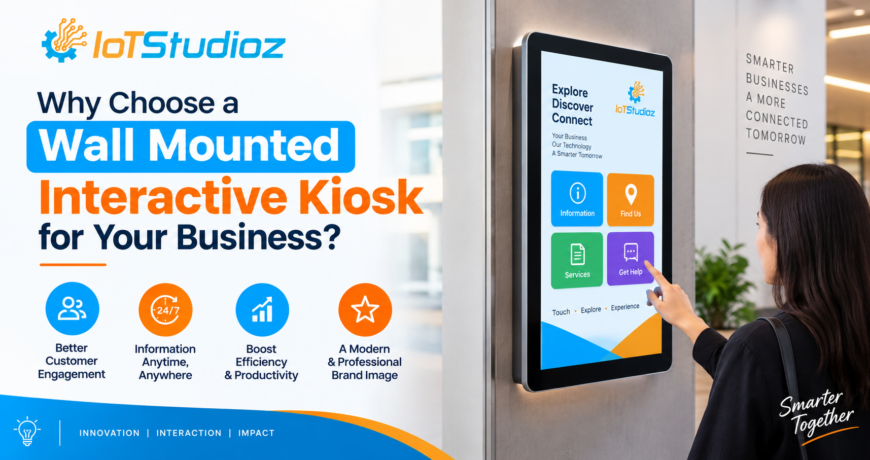
Why Choose a Wall Mounted Interactive Kiosk for Your Business?
Businesses today are constantly looking for smarter ways to engage customers, provide information, and simplify everyday operations. Traditional posters, static displays, and manual assistance can be useful, but they often cannot provide the interactive and self-service experience that modern customers expect.
A wall mounted interactive kiosk offers a practical solution by combining a digital display, touchscreen functionality, and smart software in a compact, space-saving format. Installed directly on a wall, these kiosks can deliver information, facilitate self-service, promote products, collect customer feedback, and support a wide range of business applications.
Whether used in retail stores, hotels, hospitals, educational institutions, corporate offices, restaurants, or public spaces, wall mounted interactive kiosks can improve both customer engagement and operational efficiency.
What Is a Wall Mounted Interactive Kiosk?
A wall mounted interactive kiosk is a digital touchscreen system designed to be securely installed on a wall. Unlike floor-standing kiosks, it does not require dedicated floor space, making it particularly suitable for businesses where space is limited.
Users can interact directly with the touchscreen to access information, browse products, complete forms, make selections, navigate menus, check services, or perform other self-service activities.
Depending on the configuration, a wall mounted interactive kiosk may include features such as:
- High-resolution touchscreen display
- Multi-touch capability
- Android or other operating systems
- Wi-Fi and Ethernet connectivity
- Built-in speakers
- Front-facing camera
- USB and other connectivity options
- Tempered glass protection
- High-brightness display
- Custom kiosk software
- 24/7 commercial-grade operation
The exact specifications can be customized according to the intended application.
Why Choose a Wall Mounted Interactive Kiosk?
1. Saves Valuable Floor Space
One of the biggest advantages of a wall mounted interactive kiosk is its compact installation.
Traditional floor-standing kiosks require dedicated floor space, which may not always be available in smaller retail stores, offices, restaurants, clinics, or reception areas. A wall mounted solution utilizes vertical wall space instead.
This allows businesses to provide interactive services without significantly affecting the layout of the premises.
Ideal for:
- Small retail stores
- Reception areas
- Restaurants
- Hotels
- Hospitals and clinics
- Corporate offices
- Educational institutions
2. Improves Customer Engagement
Static signs can communicate information, but they do not allow customers to actively interact with the content.
An interactive kiosk changes this experience.
Customers can touch the screen, explore information, browse products, view images, watch videos, compare options, and access relevant services according to their requirements.
Interactive content can make the customer journey more engaging and memorable while reducing dependence on printed promotional materials.
3. Enables Self-Service
Customers increasingly prefer convenient self-service options. A wall mounted interactive kiosk can help businesses provide services without requiring staff assistance for every basic task.
For example, customers can use a kiosk to:
- Browse products
- Check prices
- View menus
- Place orders
- Register for services
- Check appointments
- Access directions
- Complete forms
- Submit feedback
- Find information
By allowing customers to complete simple activities independently, businesses can create a faster and more convenient experience.
4. Provides a Modern and Professional Appearance
The physical appearance of a business can influence how customers perceive its brand.
A sleek wall mounted interactive kiosk can provide a modern digital touch to retail stores, hotels, offices, showrooms, and other commercial environments.
Instead of relying entirely on printed posters or information boards, businesses can use dynamic digital content that can be updated whenever required.
This combination of modern hardware and digital content can help create a more technology-driven customer environment.
5. Easy to Update Digital Content
One major limitation of printed signage is that changing information often requires printing new materials.
Digital kiosks eliminate much of this inconvenience.
Businesses can update digital content such as:
- Product information
- Promotional offers
- Pricing
- Menus
- Announcements
- Directions
- Videos
- Images
- Event information
When connected to a suitable content management system, content can potentially be updated remotely, depending on the software and network configuration.
This makes digital kiosks particularly useful for businesses with frequently changing information.
6. Supports Interactive Product Discovery
For retail businesses and showrooms, a wall mounted interactive kiosk can act as a digital product guide.
Instead of displaying every product physically, businesses can allow customers to browse a larger digital catalog.
For example, customers could select a product category and explore:
- Product specifications
- Available models
- Sizes and variants
- Features
- Images
- Pricing
- Related products
- Availability
This can be especially valuable when physical display space is limited.
7. Enhances Self-Service in Restaurants and Hospitality
Restaurants, cafés, hotels, and hospitality businesses can use wall mounted interactive kiosks in several ways.
A restaurant may use a kiosk for menu browsing and self-ordering, while a hotel could use one for information, wayfinding, check-in assistance, or service requests.
Interactive kiosks can also display visually appealing menus, promotional offers, recommendations, and multimedia content.
This can help create a more convenient and engaging customer experience.
8. Useful for Healthcare and Clinics
Healthcare facilities often need to provide visitors with clear information while managing high customer traffic.
Wall mounted interactive kiosks can be used for applications such as:
- Patient registration
- Appointment information
- Wayfinding
- Department directories
- General healthcare information
- Feedback collection
- Check-in assistance
The specific functionality depends on the software and system integration used by the organization.
9. Helps Reduce Staff Workload
Employees often spend considerable time answering repetitive questions or helping customers with simple processes.
A properly designed interactive kiosk can handle some of these routine interactions.
For example, instead of asking an employee for store directions, product information, or basic service details, customers can access the information themselves.
This allows employees to focus more on complex customer requirements and other important responsibilities.
10. Flexible Applications Across Industries
Another important advantage is versatility.
A wall mounted interactive kiosk is not limited to one particular industry. The same basic hardware concept can support different applications depending on the software and peripherals installed.
Retail
- Product catalogs
- Product search
- Promotions
- Customer assistance
- Self-service
Hospitality
- Digital menus
- Hotel information
- Guest services
- Wayfinding
- Self-service check-in support
Healthcare
- Patient registration
- Appointment information
- Directories
- Feedback
Corporate Offices
- Visitor management
- Employee directories
- Meeting room information
- Internal communication
Education
- Campus directories
- Student information
- Interactive learning
- Event information
Public Spaces
- Information directories
- Wayfinding
- Service information
- Interactive maps
Wall Mounted Interactive Kiosk vs. Traditional Display
A traditional digital display is primarily designed to present information. A wall mounted interactive kiosk can go one step further by allowing users to interact directly with the content.
| Feature | Traditional Digital Display | Wall Mounted Interactive Kiosk |
| Digital content | Yes | Yes |
| Touch interaction | Usually no | Yes |
| Self-service | Limited | Yes |
| Product browsing | Limited | Interactive |
| Customer input | Limited | Yes |
| Dynamic content | Yes | Yes |
| Space efficiency | High | High |
| Interactive applications | Limited | Extensive |
The right choice depends on the intended application. If the goal is simply to display advertisements or announcements, a non-touch digital signage display may be sufficient. If customers need to interact with the content, a touchscreen kiosk can be more suitable.
Important Features to Consider Before Buying
Choosing the right wall mounted interactive kiosk requires more than selecting a screen size. Businesses should evaluate the complete hardware and software configuration.
Screen Size and Resolution
Choose a screen size based on viewing distance, available wall space, and application requirements.
Higher-resolution displays can provide sharper text, images, videos, and product information.
Touch Technology
The touchscreen should provide responsive and accurate interaction. Multi-touch capability can be beneficial for applications that require gestures or multiple points of interaction.
Operating System
The operating system should support the applications and software required by the business. Android-based systems, for example, can be suitable for many interactive applications.
Connectivity
Wi-Fi, Ethernet, USB, Bluetooth, and other connectivity options can provide flexibility for different applications.
Build Quality
For commercial environments, durability is important. Features such as tempered glass protection and commercial-grade components can help the kiosk withstand regular use.
Brightness
For brightly lit environments, a high-brightness display may provide better visibility and readability.
Software Compatibility
Hardware should be compatible with the intended kiosk application, content management system, browser-based software, or custom application.
How to Choose the Right Wall Mounted Interactive Kiosk
Before purchasing, businesses should answer a few important questions:
- Where will the kiosk be installed?
Consider wall dimensions, viewing distance, lighting, and customer traffic. - What will customers use it for?
Define whether the kiosk will be used for information, ordering, registration, product browsing, wayfinding, or another purpose. - How frequently will it be used?
High-traffic environments may require commercial-grade hardware designed for extended operation. - What software will run on it?
Check operating system and application compatibility before making a purchase. - Does it need internet connectivity?
Determine whether Wi-Fi, Ethernet, or another connectivity option is required. - Does the kiosk require additional peripherals?
Depending on the application, businesses may need cameras, speakers, card readers, printers, barcode scanners, or other accessories.
Best Practices for Installing a Wall Mounted Interactive Kiosk
Proper installation is essential for creating a safe and convenient user experience.
The kiosk should be installed at an appropriate height so that users can comfortably interact with the touchscreen. The wall and mounting hardware should be capable of supporting the kiosk’s weight.
Businesses should also consider:
- Customer accessibility
- Cable management
- Power availability
- Screen visibility
- Ambient lighting
- User traffic
- Security
- Maintenance access
- Ventilation requirements
For public-facing installations, accessibility should be considered during the planning stage.
The Future of Interactive Kiosks
As businesses continue adopting self-service technologies and digital customer experiences, interactive kiosks are becoming increasingly valuable.
Modern kiosk solutions can combine touchscreen interaction with technologies such as cloud-based content management, analytics, QR codes, payment systems, cameras, AI-powered applications, and other digital services.
This creates opportunities for businesses to develop more personalized and efficient customer journeys.
The key is not simply installing a touchscreen but designing the kiosk around a clear business objective and customer need.
Conclusion
A wall mounted interactive kiosk can be an effective solution for businesses that want to combine digital engagement, self-service, and space efficiency.
Its wall-mounted design helps save floor space, while touchscreen functionality allows customers to actively interact with digital content. From product discovery and self-ordering to wayfinding, visitor management, registration, and information access, these kiosks can support a wide variety of business applications.
Before investing, businesses should carefully evaluate screen size, touch technology, operating system, connectivity, durability, software compatibility, and installation requirements.