
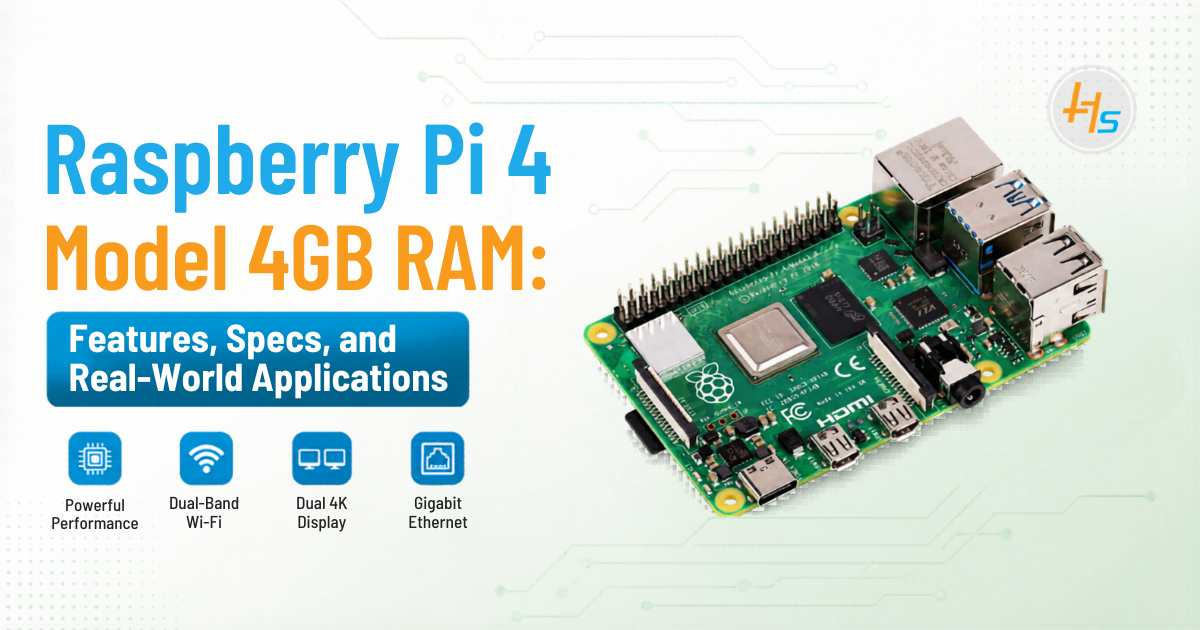
Raspberry Pi 4 Model 4GB RAM: Features, Specs, and Real-World Applications
The Raspberry Pi 4 Model B 4GB RAM is a compact yet powerful single-board computer that has transformed how developers, students, and businesses approach computing and embedded systems. With improved processing power, enhanced connectivity, and flexible use cases, it stands out as a reliable solution for both personal and industrial applications. Let’s explore each aspect in detail.
Key Features
1. Powerful Quad-Core Processor
At the core of the Raspberry Pi 4 is the Broadcom BCM2711 processor, featuring a quad-core Cortex-A72 architecture. Compared to previous generations, this CPU delivers up to 3x better performance.
This means smoother multitasking, faster code compilation, and improved responsiveness when running Linux-based operating systems. Whether you’re running a local server, handling IoT data streams, or using it as a desktop, the processor ensures stable and efficient performance.
2. 4GB RAM for Enhanced Multitasking
The 4GB LPDDR4 RAM variant is considered the sweet spot for most users. It provides enough memory to run multiple applications simultaneously without lag.
For example, you can:
- Open multiple browser tabs
- Run a code editor like VS Code
- Execute background scripts or servers
This makes it ideal for developers, students, and even small-scale enterprise deployments.
3. Dual Display Support (Up to 4K)
One of the standout upgrades in Raspberry Pi 4 is its ability to support dual monitors via micro-HDMI ports.
It can handle:
- Dual 1080p displays at 60Hz
- Or a single 4K display
This feature makes it practical for:
- Workstations
- Digital signage systems
- Control dashboards
For users wanting a low-cost desktop setup, this is a significant advantage.
4. High-Speed Connectivity
Connectivity is where the Raspberry Pi 4 truly excels. It includes:
- Gigabit Ethernet for fast wired networking
- Dual-band Wi-Fi for stable wireless communication
- Bluetooth 5.0 for connecting peripherals and IoT devices
This combination enables seamless integration into modern networks, making it ideal for cloud-connected applications and remote device management.
5. USB 3.0 for Fast Data Transfer
Unlike earlier models, the Raspberry Pi 4 includes USB 3.0 ports, significantly improving data transfer speeds.
Benefits include:
- Faster external SSD performance
- Quicker file transfers
- Better support for high-speed peripherals
This is particularly useful when running databases, media servers, or handling large datasets.
6. GPIO Pins for Hardware Integration
The 40-pin GPIO header allows direct interaction with hardware components such as sensors, motors, and relays.
This makes the Raspberry Pi 4 perfect for:
- Robotics projects
- Industrial automation
- Custom hardware prototyping
It supports multiple protocols like I2C, SPI, and UART, enabling flexible communication with external devices.
Technical Specifications
- Processor: The Cortex-A72 cores are designed for higher efficiency and better instruction handling, enabling smoother performance across applications.
- RAM (4GB): Adequate for most real-world workloads including servers, development environments, and multitasking.
- Networking: Built-in wireless and wired connectivity reduces the need for additional modules.
- Ports: Multiple USB and HDMI ports provide flexibility for connecting peripherals and displays.
- Storage: Uses microSD cards, but can also boot from USB drives for better performance.
- Power: Powered via USB-C, ensuring stable power delivery compared to older micro-USB models.
Real-World Applications
1. Home Automation Systems
The Raspberry Pi 4 is widely used as a central controller for smart homes. With platforms like Home Assistant or OpenHAB, it can manage lighting, thermostats, security cameras, and smart appliances.
It acts as a hub that connects various IoT devices, enabling automation routines such as turning lights on/off based on motion or time schedules.
2. IoT Gateway
In IoT ecosystems, the Raspberry Pi 4 can function as a gateway between edge devices and the cloud.
It collects data from sensors (temperature, humidity, pressure, etc.), processes it locally, and sends it to cloud platforms like AWS or Azure. This reduces latency and bandwidth usage while improving efficiency.
3. Media Center
By installing software like Kodi or Plex, the Raspberry Pi 4 can be transformed into a full-featured media center.
It supports:
- HD and 4K video playback
- Streaming services
- Local media libraries
This makes it a cost-effective alternative to commercial streaming devices.
4. Web and Application Server
With 4GB RAM, the Raspberry Pi 4 can host:
- Websites (Apache/Nginx)
- Databases (MySQL/PostgreSQL)
- APIs and backend services
It is ideal for:
- Testing environments
- Small business applications
- Personal cloud setups
5. Edge Computing
In industrial settings, Raspberry Pi 4 is used for edge computing—processing data near the source instead of sending everything to the cloud.
Benefits include:
- Reduced latency
- Faster decision-making
- Lower bandwidth usage
It is commonly used in manufacturing, energy management, and smart city applications.
6. Learning and Prototyping
The Raspberry Pi ecosystem is beginner-friendly and widely used in education.
Students can learn:
- Programming (Python, C++, Java)
- Electronics and circuit design
- IoT development
Developers can quickly prototype ideas without investing in expensive hardware.
7. Desktop Replacement (Basic Use)
With Raspberry Pi OS, the device can function as a lightweight desktop computer.
It can handle:
- Web browsing
- Document editing
- Video playback
While not a full replacement for high-performance PCs, it is sufficient for everyday tasks and educational use.
Advantages
- Cost-Effective: Offers powerful computing at a fraction of the cost of traditional PCs
- Energy Efficient: Consumes very little power, making it suitable for 24/7 operations
- Compact Size: Easy to deploy in space-constrained environments
- Strong Community Support: Extensive documentation, tutorials, and forums
- Versatility: Can be used across multiple domains—from hobby projects to industrial solutions
Limitations
- Limited for Heavy Workloads: Not suitable for high-end gaming or intensive video editing
- Thermal Throttling: May require cooling solutions (heatsinks or fans) under heavy load
- Accessory Dependency: Requires additional components like SD card, power supply, and case
- Storage Speed Constraints: microSD cards are slower compared to SSDs (though USB boot helps mitigate this)
Conclusion
The Raspberry Pi 4 Model B 4GB RAM strikes an excellent balance between performance, affordability, and flexibility. Whether you’re building IoT solutions, learning programming, or setting up a home server, it delivers reliable performance across a wide range of use cases.
Its adaptability is what truly sets it apart—making it not just a development board, but a complete computing solution in a compact form.
FAQ
1. Is Raspberry Pi 4 Model 4GB RAM enough for everyday use?
Yes, the 4GB RAM variant is sufficient for most everyday tasks such as web browsing, coding, running lightweight applications, and even basic desktop use. It can handle multitasking reasonably well, making it ideal for students, developers, and hobbyists. However, for heavy workloads like video editing or advanced virtualization, higher-end systems are still recommended.
2. Can Raspberry Pi 4 Model 4GB RAM replace a desktop computer?
It can replace a desktop for basic tasks like browsing the internet, working on documents, streaming videos, and programming. With Raspberry Pi OS and proper accessories (keyboard, mouse, monitor), it offers a smooth experience. However, it may struggle with high-performance applications, gaming, or intensive multitasking compared to traditional PCs.
3. What operating systems can run on Raspberry Pi 4 Model 4GB RAM?
The device supports a wide range of operating systems including Raspberry Pi OS (official), Ubuntu, Debian-based systems, and even specialized OS options like LibreELEC for media centers. This flexibility allows users to customize the device for different applications such as IoT, servers, or desktops.
4. Does Raspberry Pi 4 Model 4GB RAM require cooling?
For basic tasks, passive cooling (like heat sinks) is usually enough. However, during intensive operations such as running servers, compiling code, or continuous processing, the device may heat up. In such cases, using a cooling fan or a ventilated case is recommended to prevent thermal throttling and maintain performance.
5. What are the best use cases for Raspberry Pi 4 Model 4GB RAM?
The Raspberry Pi 4 (4GB) is highly versatile and commonly used for:
- IoT gateways and edge computing
- Home automation systems
- Media centers (Kodi/Plex)
- Web and application servers
- Learning programming and electronics
- Prototyping embedded systems
Its balance of performance and affordability makes it suitable for both personal and industrial projects.